The public beta is open

Read what
you own.

Open your own comics on iPhone and iPad, from a folder or a Komga, Kavita, or OPDS library. Enlarge small lettering with Bubble Zoom, follow a reading list, or download books for a trip.

Free during TestFlight. Pro included.

iOS or iPadOS 18+. Sample comic included.

On Android? Join the interest list.

Komga · Kavita · OPDS · Local files

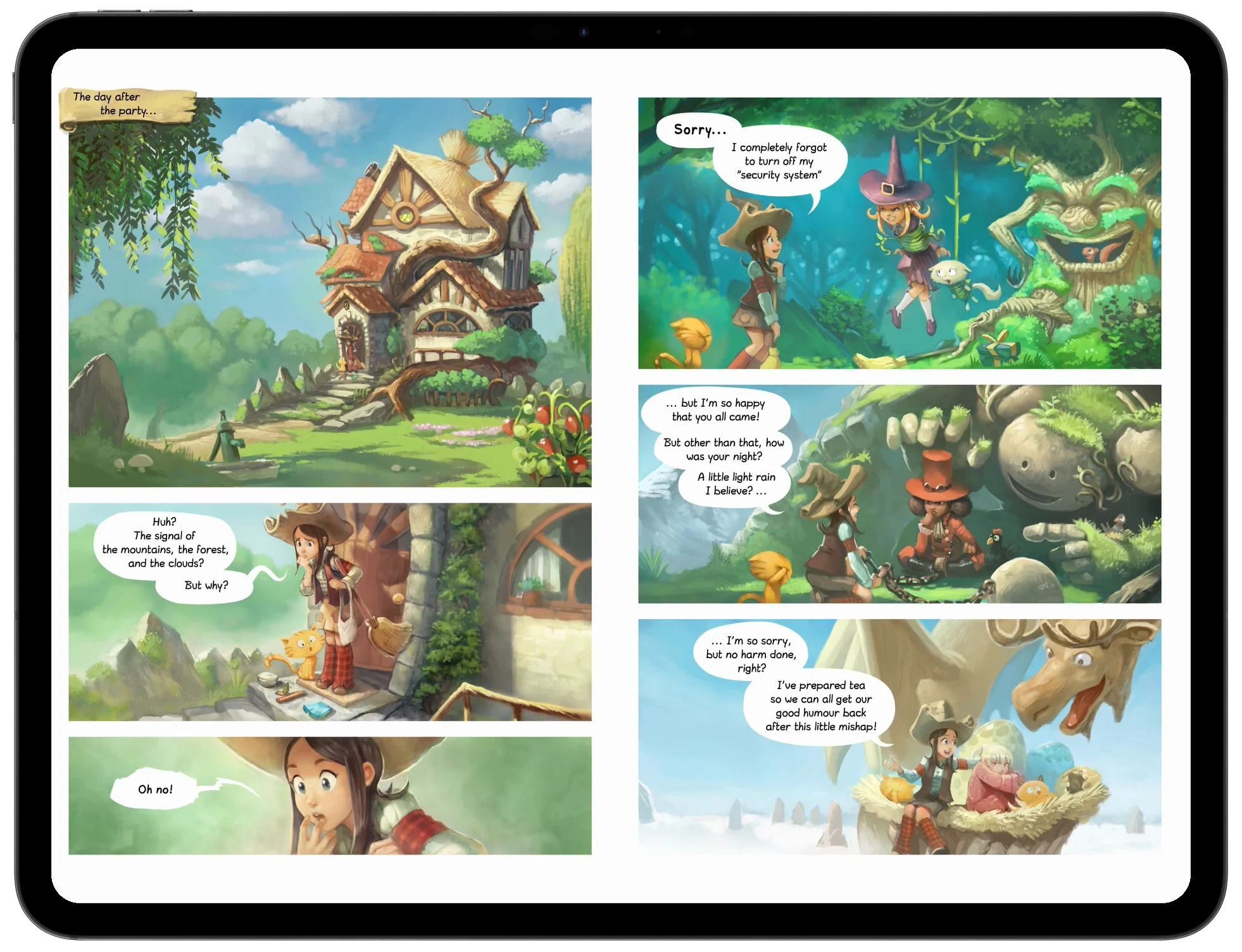
Two facing Pepper & Carrot pages in Glimshelf’s Double Page mode on a landscape iPad, with the controls hidden

Two facing Pepper & Carrot pages in Glimshelf’s Double Page mode on a landscape iPad, with the controls hidden

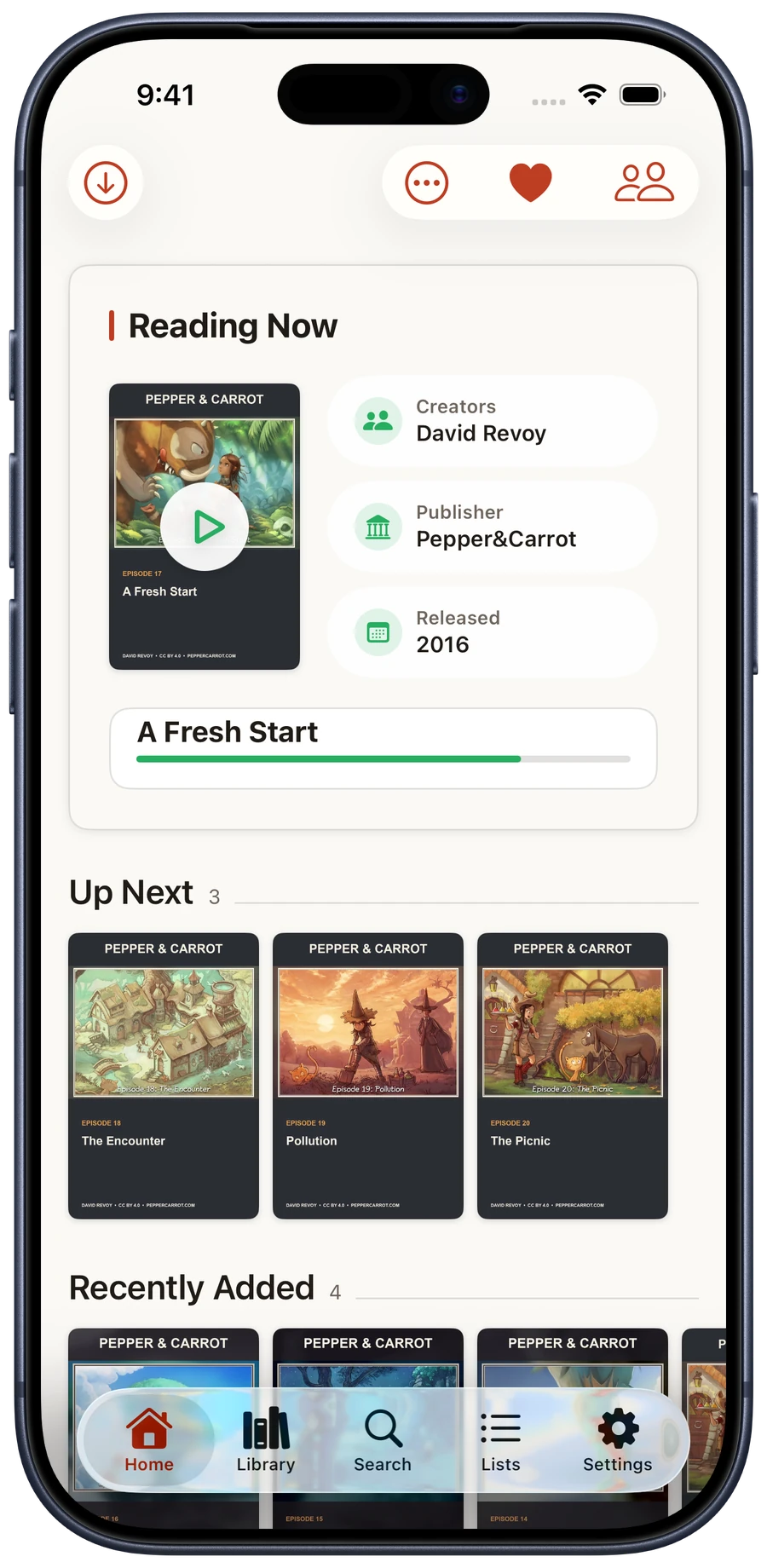
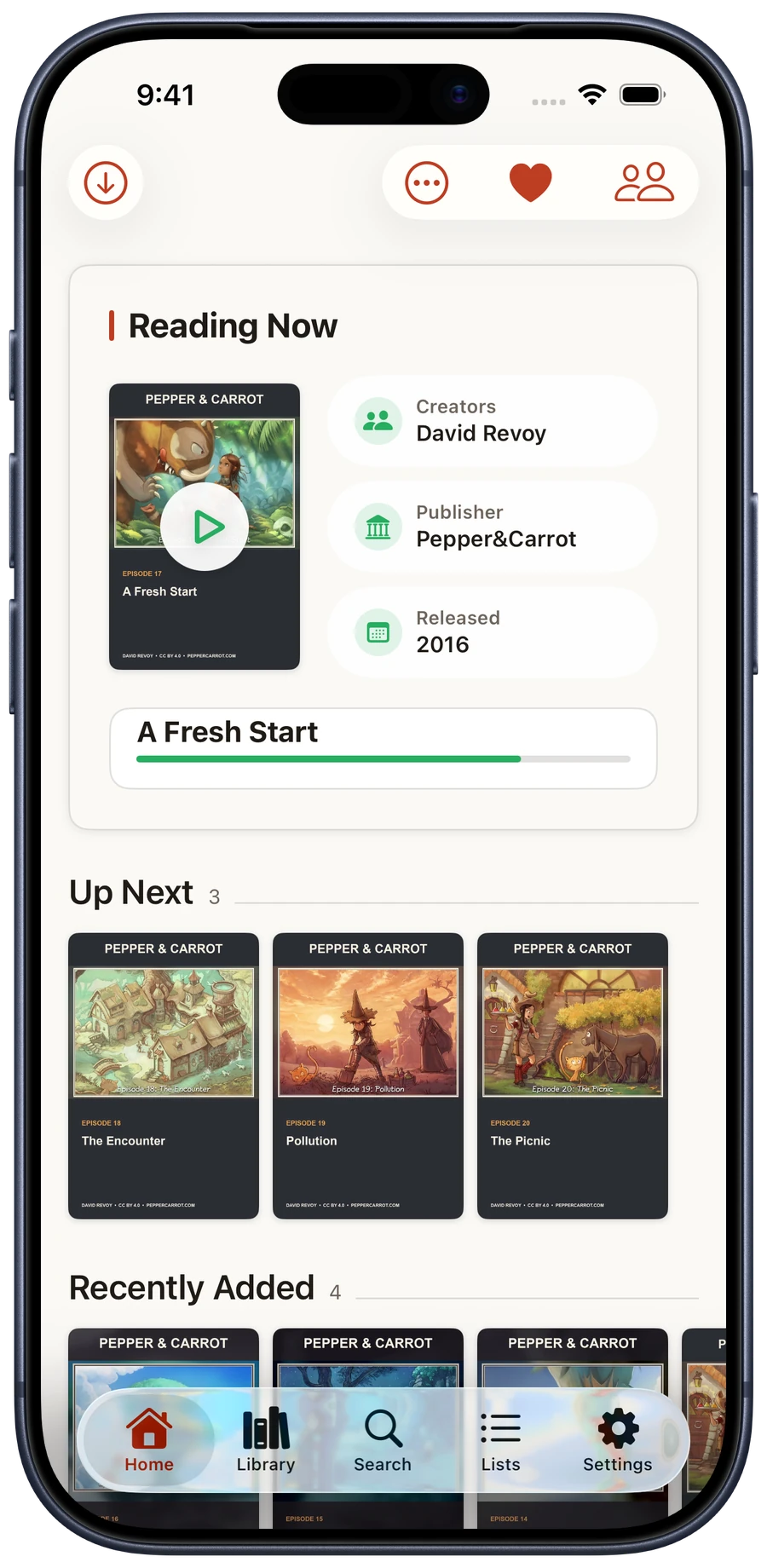
Glimshelf Home showing A Fresh Start by David Revoy, released in 2016, at 78 percent with three populated Pepper and Carrot episodes Up Next

Glimshelf Home showing A Fresh Start by David Revoy, released in 2016, at 78 percent with three populated Pepper and Carrot episodes Up Next

Home on iPhone and the double-page reader on iPad.Home on iPhone.Pepper & Carrot by David Revoy · CC BY 4.0

01 / Choose how you read

Comics, manga, and books.

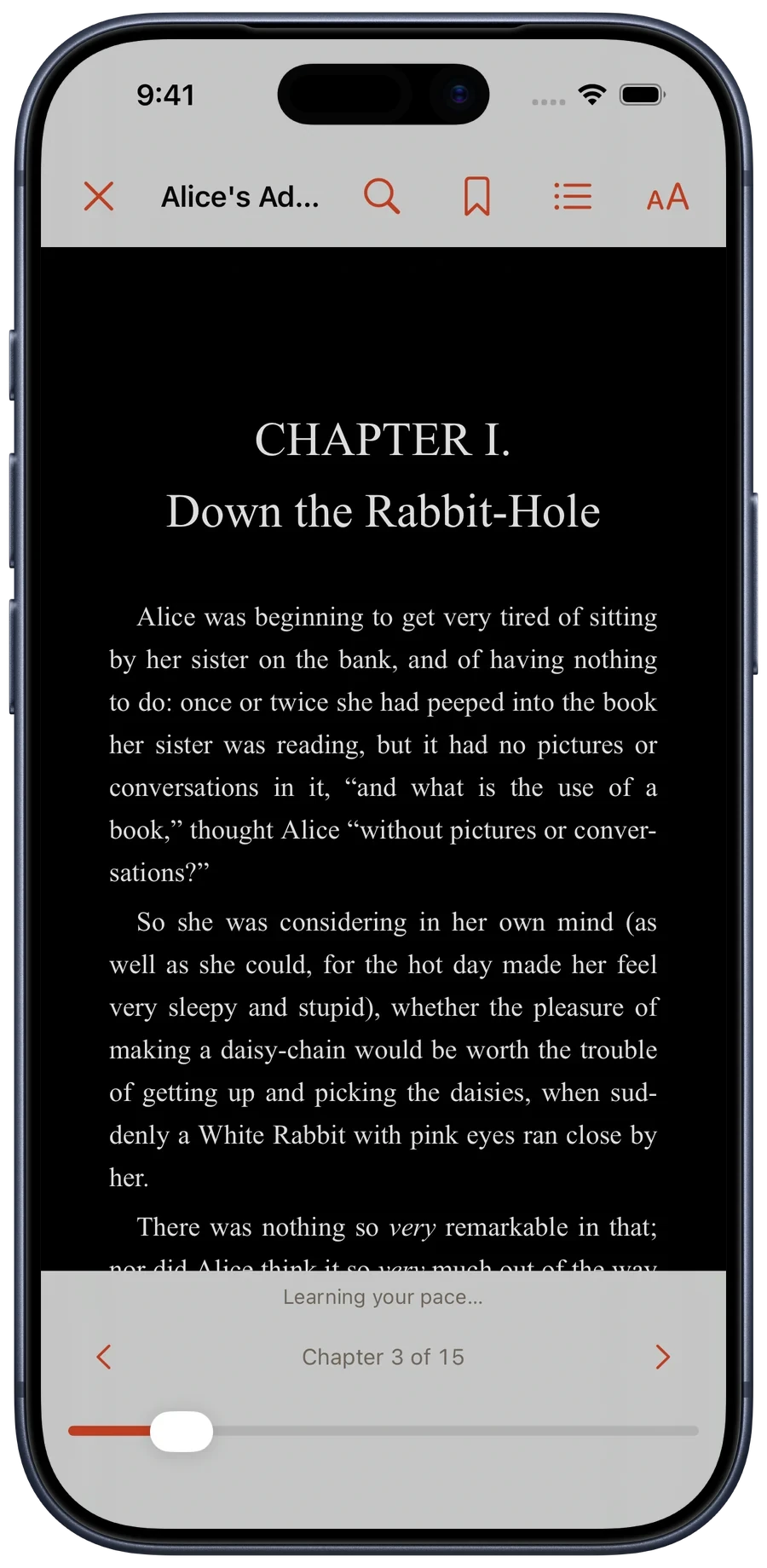
Use reflowable text for local EPUBs, right-to-left paging for manga, and continuous vertical scrolling for webtoons.

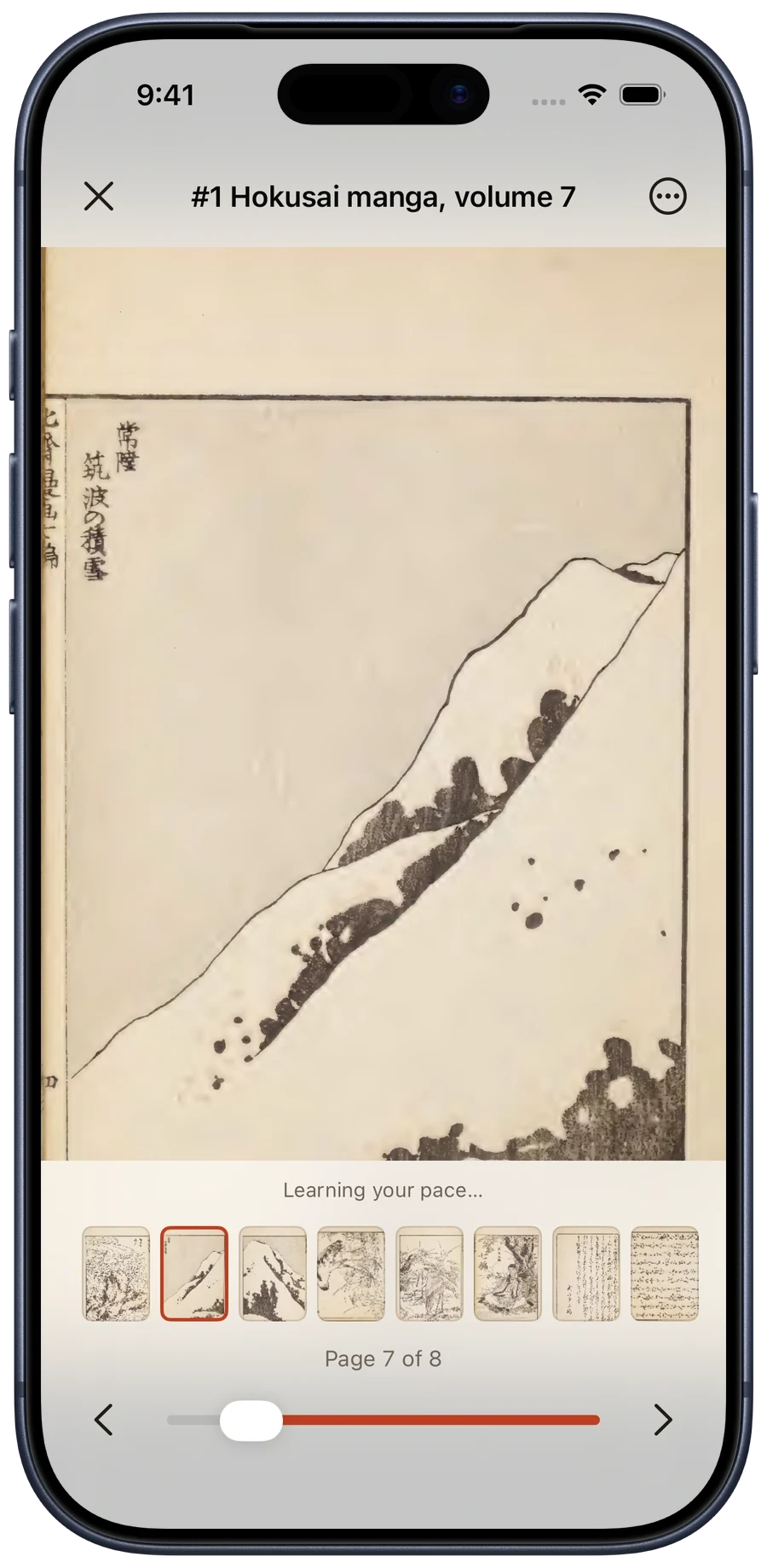
Right-to-left paging

Set the direction for the series

Set reading direction per series and keep page order, gestures, and progress aligned with the original work.

Hokusai manga volume 7 open on a Japanese sketch leaf with page 7 selected near the left end of the reversed page strip

Hokusai manga volume 7 open on a Japanese sketch leaf with page 7 selected near the left end of the reversed page strip

Page strip and controls run right to left · Historic Japanese sketch collectionHokusai manga, volume 7 by Katsushika Hokusai · Public Domain Mark 1.0Open original

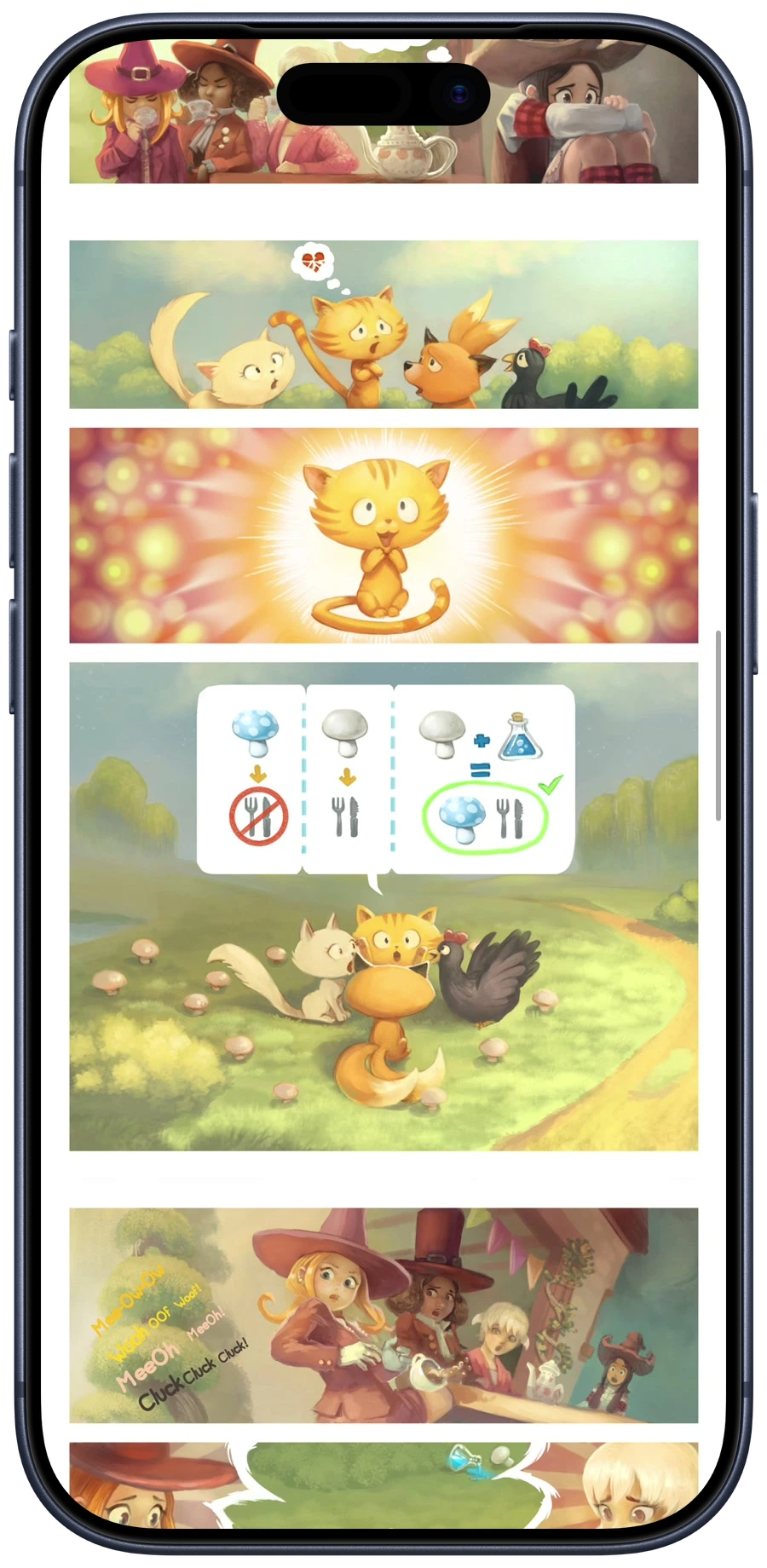
Webtoon

A continuous vertical canvas

Scroll long pages as a strip, with the same offline access and saved progress as paged books.

A Pepper & Carrot episode arranged as one continuous vertical strip in Glimshelf’s Webtoon mode

A Pepper & Carrot episode arranged as one continuous vertical strip in Glimshelf’s Webtoon mode

Continuous vertical scroll · Episode 9Pepper & Carrot by David Revoy · CC BY 4.0Open original

Paged and double-page modes are available too, with margin cropping, spread pairing controls, and Pro’s Bubble Zoom.

Explore the reader

02 / Your reading life

Start with what you were reading.

Home resumes the current book, lets you arrange shelves, and shows whether offline reading is ready before a trip.

01

Pick up where you left off.

Reading Now keeps your place. Up Next follows your series or reading list. Arrange Home around the shelves you use.

Make Home yours
Home showing A Fresh Start released in 2016 under Reading Now, followed by The Encounter, Pollution, and The Picnic under Up Next

Home showing A Fresh Start released in 2016 under Reading Now, followed by The Encounter, Pollution, and The Picnic under Up Next

Home · Continue A Fresh Start and see the next three episodesPepper & Carrot by David Revoy · CC BY 4.0Open original
02

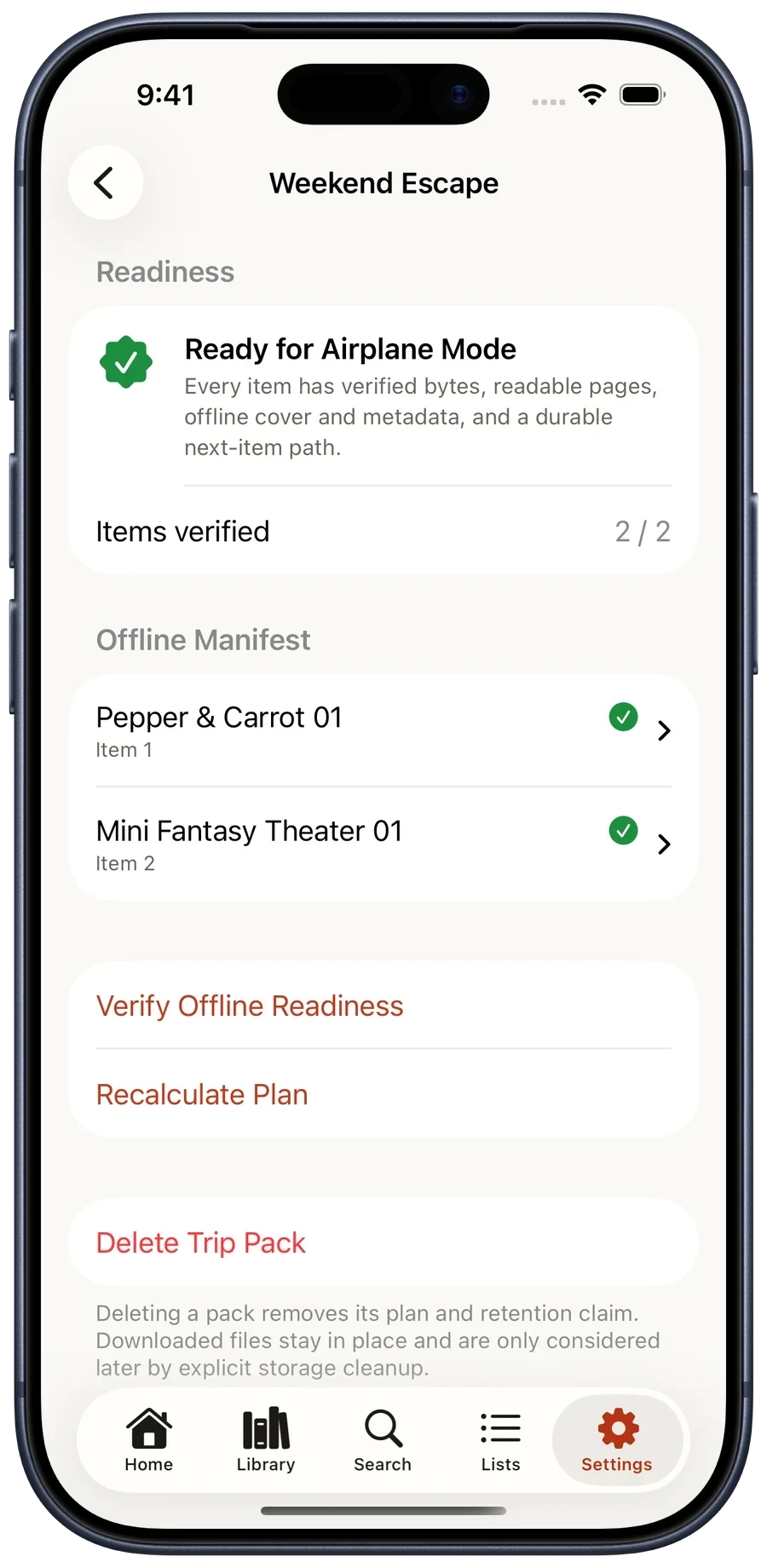
Verify every download before you leave.

Build a Trip Pack for a weekend or a long flight. Glimshelf downloads your selection and verifies every file before you leave.

Prepare for offline reading
Weekend Escape Trip Pack reporting Ready for Airplane Mode with two of two items ready

Weekend Escape Trip Pack reporting Ready for Airplane Mode with two of two items ready

Weekend Escape · Two of two books ready offlineOpen original

03 / Care for your library

Trouble connecting or downloading?

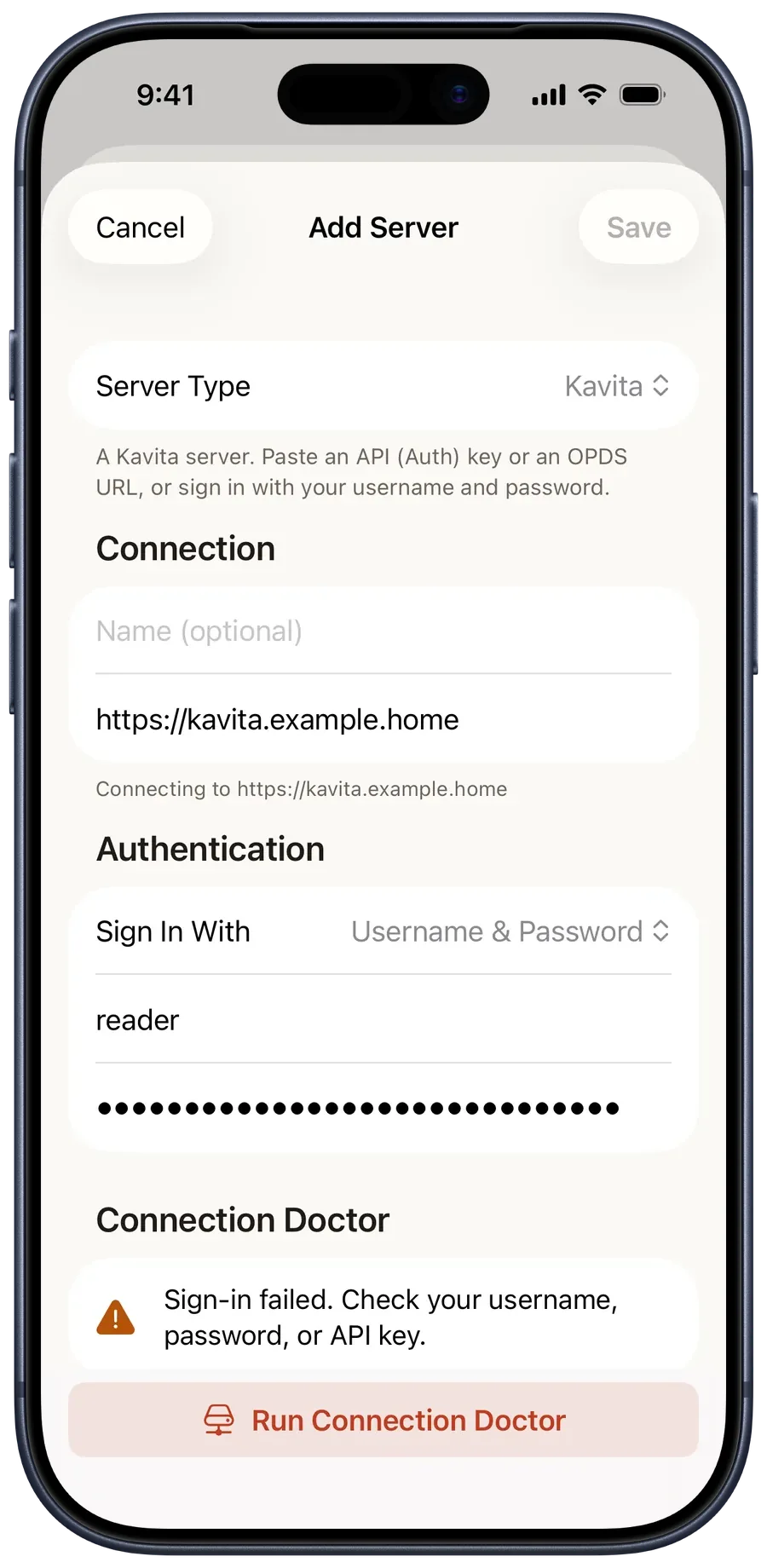
Check why a server won’t connect, find a failed download, or review different saved pages before choosing where to resume.

Connection Doctor

Check the server address, connection, and sign-in details when a library won’t open.

Reading Continuity

When linked editions have different saved pages, review them and choose where to continue.

Library Health

Find downloads and files that need attention, then open the tools to investigate.

Find the next step
Connection Doctor reporting that sign-in failed and naming the credential to check

Connection Doctor reporting that sign-in failed and naming the credential to check

Connection Doctor · A failed stage names the fixOpen original

04 / App privacy

Your device connects to your sources.

Glimshelf connects directly to your servers, local files, and the optional services you choose. No developer-operated Glimshelf account or library relay.

  • Server credentials stay in Apple’s Keychain.
  • The Glimshelf app contains no advertising SDK or third-party analytics.
  • Diagnostics leave your device only when you share them.
  • Portable backup and restore are included in Free.

Apple handles TestFlight feedback and crash reports under its own controls.

Read our privacy policy

05 / Free & Pro

Read for free. Add Pro when you need it.

Free includes one server, unlimited local files, every reader mode, and five downloaded server books. Pro adds unlimited servers and downloads, advanced organization, notes, and private iCloud sync. During TestFlight, Pro is included at no cost.

Glimshelf Free

$0

Read online or offline with no time limit.

  • One server and unlimited local files
  • Every core format and reader mode
  • Five downloaded server books at a time, including books in Trip Packs
  • Progress sync, library care, backup and restore

Glimshelf Pro

$24.99 once

Lifetime unlock. All future versions included.

  • Unlimited servers and downloads
  • Reading Orders, Smart Collections and profiles
  • Bubble Zoom, notes and tracking services
  • Private iCloud sync and advanced statistics

The same Pro features are also planned at $9.99/year for people who prefer a lower up-front price. The lifetime unlock does not require a subscription.

Compare every Free and Pro feature

Free

One complete server
Komga, Kavita, or OPDS, with full reading and progress sync
Unlimited local files
CBZ, CBR, CB7, PDF, and EPUB with no title cap
Every reader mode
Paged, Webtoon, and Double Page, left-to-right or right-to-left
Connection Doctor
DNS, Port, TLS, Authentication, and API checks, with the next action when a stage fails
Personal Home
Reading Now, Up Next, Continue Reading, and shelves you arrange
Offline reading
Up to 5 downloaded server books at once, including books in Trip Packs; local files do not count
Reading Continuity
Review possible same-work editions before linking anything across sources
Library Health and release alerts
Actionable issues, plus New Release Alerts for the series you watch
Kavita Want to Read
Add or remove a series from its toolbar; it stays in step with your Kavita account
Profile protection
Face ID, Touch ID, or the device passcode before a profile opens
Portable backup
Export everything you authored to one file; import is merge-only

Pro

Reading Orders and CBL
Cross-series sequences, community imports, and unmatched-title review
Unlimited downloads
Auto-next, keep policies, the storage dashboard, and smart eviction
Unlimited servers
One library and one search across every connected source
Bookmarks and notes
Private iCloud sync with best-effort Kavita bookmark mirroring
Server metadata editing
Permission-aware edits, locks, and poster uploads
Bubble Zoom
Step between speech balloons at readable size; Copy and Speak work on the recognized text
Smart Collections
Rule-based shelves that update as the library changes
Tracking and metadata services
AniList, MyAnimeList, and Metron
Reader profiles
Separate progress, bookmarks, and preferences; each profile can use its own server or tracker account
Private iCloud sync
Home layout, reader preferences, Smart Collections, Reading Orders, and local-file progress follow you across devices
Advanced statistics
Streaks, pages per day, reading time, sessions, pace, most-read series, and a share card

Planned App Store pricing. The lifetime unlock includes future versions. App Store builds will include a 21-day Pro trial; the Free reader remains afterward. TestFlight includes Pro at no cost and does not show purchase controls. Launch pricing may change.

Help shape Glimshelf

Try Glimshelf with the way you already read.

Open the included sample, add your own files, or connect a server. Report a bug, a confusing screen, or a missing convenience.

Bring your own files or connect your server. No commercial content library is included.

The Nimblor community

Help shape your next chapter.

Meet Glimshelf readers and the Nimblor team on Discord. Get help, share ideas, and follow the latest beta updates.

Community channels are public to members. Keep account details, private server addresses, and diagnostic files out of chat.

Prefer private support? Email support@glimshelf.com or send TestFlight feedback.